Settings
The Settings window holds everything you configure once and then forget about: audio hardware, cameras, MIDI, the shape of the Output, which screen shows what, and how Visibox behaves at launch.
Opening Settings
Choose Visibox > Settings…, or press ⌘,.
Closing the window puts it away rather than shutting it down, so it reopens on the category you were last using.
Some menu items open Settings directly on the category they belong to. MIDI Map… lands on MIDI, Arrange Displays… lands on Canvas, and Pair with Remote… lands on Remote.
The nine categories
They are listed here in the order the sidebar shows them. General is first because it is where you look when you do not yet know which category you need, and it is where the window opens the first time.
| Category | What it covers |
|---|---|
| General | Language, launch behavior, clock and title options, and confirmations |
| Audio | Output device, channel count, master volume and mute, and the audio input that feeds Visualizers and Effects |
| Devices | Cameras and their capture settings, and the Stream Deck plugin |
| MIDI | Which controllers Visibox listens to, and the MIDI Map: which note or knob on each one drives which action |
| Remote | Pairing the phones, tablets, and AI tools that drive Visibox over the network, and the OSC port |
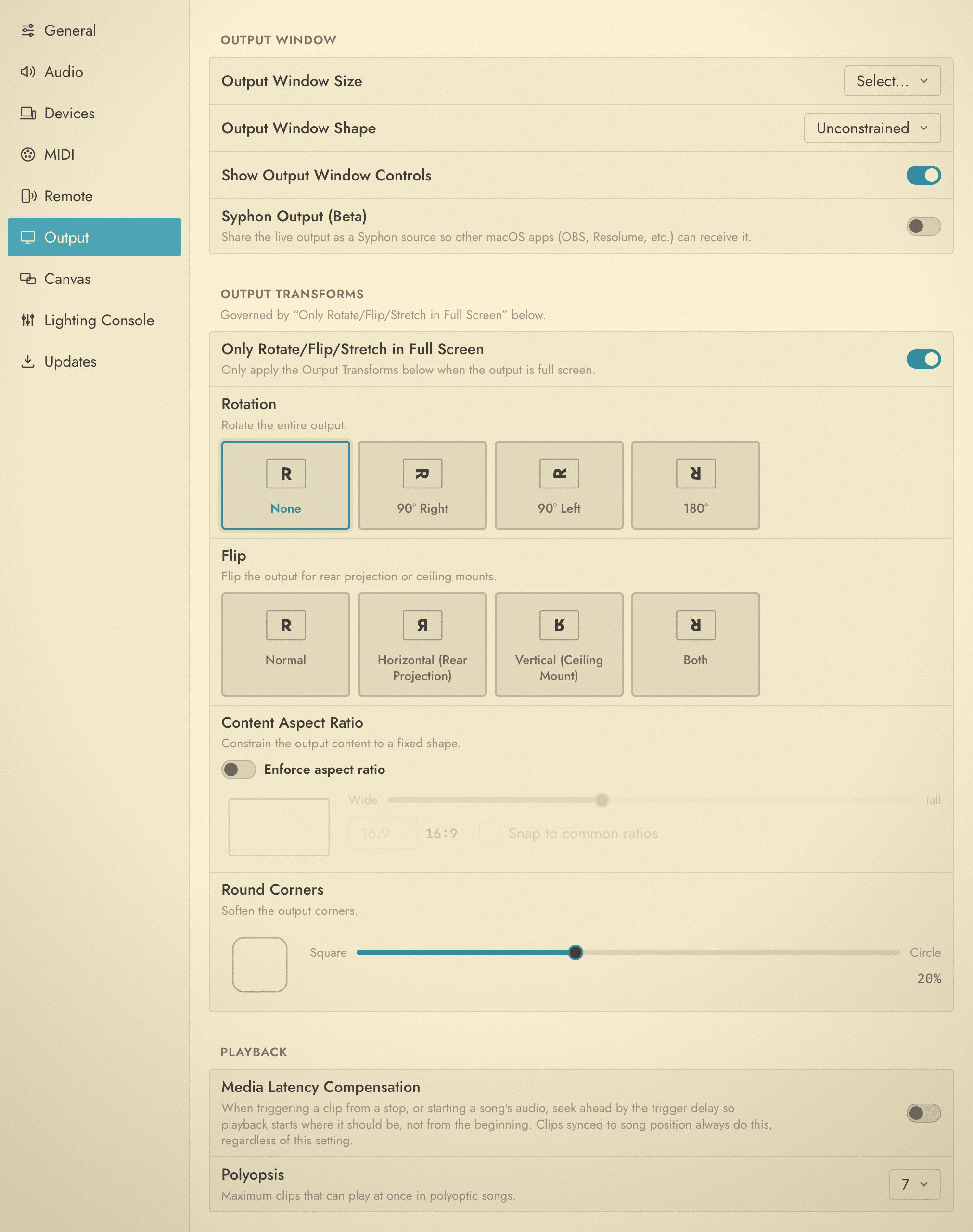
| Output | The size and shape of the Output, its transforms, and how many Clips can play at once |
| Canvas | Which screen shows the Output, the Controller, and the Lyrics, plus video wall, NDI, and DeckLink outputs |
| Lighting Console | Letting a lighting desk drive Visibox over sACN or Art-Net, and the fixture profile it patches |
| Updates | The version you are running, and checking for a newer one |
What moved in 6.0
If you are coming from Visibox 5, five things are somewhere new.
- The MIDI Map is a category, not a window. It opens inside Settings, and the list of MIDI inputs sits above it, so turning a controller on and mapping it happen in one place. The MIDI Map… menu item still exists and still gets you there. See MIDI Settings.
- Remote pairing is a category, not a window. Visibox 5 had a Remote Pairing window under the Window menu. It is now the Remote category, and Pair with Remote… opens Settings on it. See Remote Pairing.
- Stream Deck Mode is gone. The Elgato plugin is the only way Visibox talks to a Stream Deck now. Install it from Devices, and see Elgato Stream Deck for the rest.
- The Project menu’s output transforms moved here. Rotate, Flip, Enforce Aspect Ratio, Round Corners, and Only Rotate/Flip/Stretch in Full Screen are in Output. Video Wall Controller Compensation is in Canvas.
- Updates has its own category. It shows the version you are running and when it was last checked. See Updates.
Project title, Uppercase Titles, and Default Fit Mode are not in this window at all. They belong to the individual Project, and live in the Project Settings window.